
The following contribution is from another author.
A productive remote setup should make everyday tasks easier, keep distractions under control, and keep you comfortable throughout the workday. The right home office gear can help you build a setup that works well without filling every inch of your desk. A reliable computer, practical accessories, and a well-planned power setup can cover most needs. Start with the tools that solve problems you deal with regularly. From there, you can adjust the room’s layout, lighting, and style to create a comfortable space that supports your routine.
Must-Have Tech for Remote Work
Your computer should comfortably run your usual mix of browser tabs, communication apps and specialist software. For many remote workers, 16 GB of memory offers enough capacity for video calls and daily multitasking. A second monitor can make research, spreadsheets and document editing less cramped, while a laptop stand raises your built-in screen to a more comfortable height.
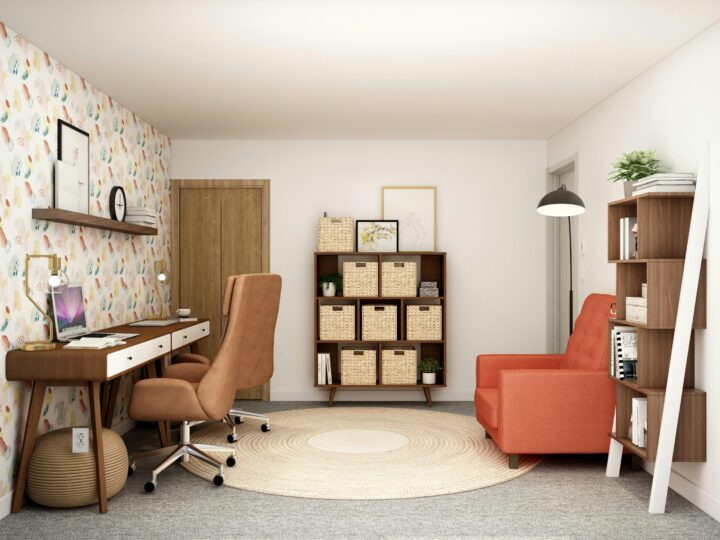
Good audio matters too. A headset with a clear microphone helps colleagues hear you without picking up every household sound. If you’re unsure how to arrange everything comfortably, learning how to design a home workspace can help you work out where your desk, screens, accessories, and storage should go. The right layout can make even a small workspace feel more functional.
Ergonomic Peripherals That Matter
Pay attention to computer workstation ergonomics before discomfort becomes part of your routine. Position the top of your main screen near eye level and roughly an arm’s length away. Your keyboard and mouse should let your elbows remain close to your body with your wrists in a neutral position.
An external keyboard is especially useful when a laptop sits on a raised stand. A full-size mouse also gives your hand more room than a trackpad during long editing sessions. Chair height, seat depth, and lumbar support deserve equal attention. This practical guide to an ergonomic desk and chair setup can help you spot upgrades that noticeably improve daily comfort.
Powering Your Workspace Efficiently
Run your computer, displays, and chargers from a quality surge protector with enough outlets for your daily equipment. Check its electrical rating and leave high-demand household appliances on separate wall outlets. Mounting the power strip under the desk keeps cords off the floor and the switch easily accessible.
A compact uninterruptible power supply may be useful if brief outages frequently interrupt your work. It can provide enough time to save files and shut down your computer safely. For charging, one multiport unit can replace several small adapters, as long as it supplies the wattage your devices require. Label both ends of less obvious cables and secure loose sections with reusable hook-and-loop ties so maintenance doesn’t become a guessing game.
How to Design a Cohesive Work Zone
Give every item a clear home based on how often you reach for it. Keep your keyboard, mouse, and notebook within easy reach, then move occasional supplies into a nearby drawer or cabinet. A shallow tray can contain charging cables and adapters that would otherwise drift across the desk.
Lighting helps the space feel settled. Place your desk perpendicular to a window when possible to limit screen glare and use a task lamp for paperwork or evening sessions. Choose one or two finishes for visible accessories, such as light wood with black metal, to create visual consistency without buying an entirely new furniture set.
Also protect the boundary between work and home. In a shared room, a small rolling cabinet or lidded box lets you pack away work materials at the end of the day.
Finally, test your workspace during a normal week, notice where cords snag or supplies pile up, and adjust those exact trouble spots. The best final layout removes small interruptions so you can stay focused.